

 Food Delivery App
 Grocery Delivery App
 Ride-Sharing App
 Home Services App
 Healthcare App
 Professional Services App
 Fitness App
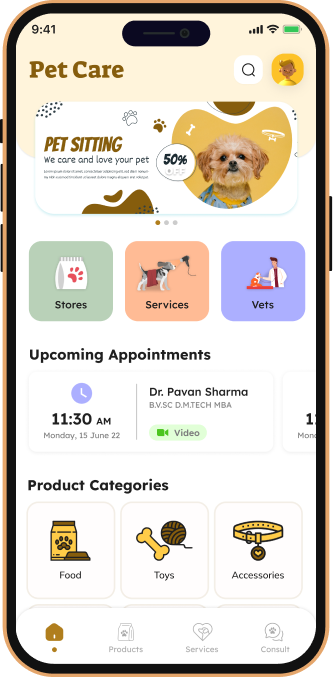
 Pet Care App
 Beauty and Salon App
 Learning and Education App
 General Marketplaces
 Handmade or Vintage Goods
 Freelance Services
 Real Estate
 Fashion and Apparel
 Automotive
 Local Services
 Consultation App
 Social Media App
 Logistics
 Education
 Job Boards
 Cashback and Coupons
 OTT Applications
 Dating Applications
 Chat Applications
 Enterprise Resource Planning (ERP)
 Customer Relationship Management (CRM)
 Human Resource Management (HRM)
 Content Management System (CMS)
 E-commerce Platform
 Inventory Management
  UberEats
 DoorDash
 Grubhub
 Postmates
 Zomato
 Swiggy
 Deliveroo
 Instacart
 Amazon Fresh
 Zepto
Zepto BigBasket
 Blinkit
 Swiggy Instamart
 1mg
1mg PharmEasy
 Uber
Uber Lyft
Lyft Ola
Ola Grab
Grab UrbanClap
 Laundrapp
 Fitness App
 Dunzo
Dunzo Postmates
 Porter
 Custom App Development
 Cross-Platform App Development
 iOS App Development
 Android App Development
 App Store Optimization (ASO)
 Mobile App Maintenance
 Mobile App Designing
 MVP Development
 Custom Website Development
 E-commerce Website Development
 Responsive Web Design
 Website Maintenance
 Website Testing
 Landing Pages
 Admin Panels
 User Research
 Information Architecture
 Wireframing
 Prototyping
 Visual Design
 Interaction Design
 Accessibility Compliance
 Graphic Design
 Search Engine Marketing (SEM)
 Social Media Marketing
 Email Marketing
 Content Marketing
 Affiliate Marketing
 Analytics and Reporting
 Online Reputation Management
Introduction
In the fast-paced world of technology, businesses are constantly seeking ways to accelerate their digital transformation. One of the most significant trends shaping this landscape is the rise of low-code development platforms. By allowing developers and non-developers alike to create applications with minimal coding effort, these tools enable faster deployment and innovation. In this article, we will explore the best low-code tools for 2026 that are set to revolutionize the way we approach app development.

Table of Contents
- What are Low-Code Tools?
- The Importance of Rapid Application Development
- Top Low-Code Tools for 2026
- Key Features of Low-Code Tools
- Low-Code vs No-Code: Understanding the Differences
- FAQ
- Conclusion
What are Low-Code Tools?
Low-code development platforms are software solutions that allow users to create applications through graphical user interfaces and configuration instead of traditional hand-coded programming. This approach significantly reduces the time and effort required to develop apps, making it accessible for people with varying levels of technical expertise.
The Importance of Rapid Application Development
Rapid Application Development (RAD) is crucial in today's business environment. Organizations need to adapt quickly to changing market demands and customer expectations. Low-code tools facilitate RAD by enabling:
- Faster prototyping and iteration
- Collaboration between IT and business teams
- Reduced development costs
Top Low-Code Tools for 2026
Here are some of the best low-code tools for 2026 that are leading the charge in rapid application development:
1. OutSystems
OutSystems is a powerful low-code platform designed for enterprise applications. It offers robust tools for integrating with existing systems, making it a preferred choice for large organizations.
2. Mendix
Mendix excels in providing a collaborative environment where business and IT can work together seamlessly. Its cloud-native architecture enables rapid development and deployment.
3. Appian
Known for its process automation capabilities, Appian allows users to build applications quickly while ensuring compliance and governance.
4. Microsoft Power Apps
Part of the Microsoft Power Platform, Power Apps enables users to create custom apps using Microsoft’s ecosystem, making it ideal for businesses already using Microsoft products.
5. Salesforce Lightning
Salesforce Lightning is designed for building applications within the Salesforce ecosystem. It provides a range of pre-built components that speed up development.
Key Features of Low-Code Tools
The success of low-code tools lies in their features, which typically include:
- Drag-and-Drop Interfaces: Simplifies the app-building process.
- Pre-Built Templates: Offers ready-to-use app layouts.
- Integration Capabilities: Connects with various data sources and APIs.
- Collaboration Tools: Facilitates teamwork among developers and stakeholders.
- Scalability: Supports applications as business needs grow.
Low-Code vs No-Code: Understanding the Differences
While both low-code and no-code platforms aim to simplify app development, they cater to different audiences:
- Low-Code: Requires some coding knowledge, ideal for professional developers looking to speed up development.
- No-Code: Designed for non-technical users, allowing them to build applications without writing code.
Pros and Cons
Pros
- Accelerated development times and reduced costs.
- User-friendly interfaces that promote collaboration.
- Flexibility to integrate with various technologies.
Cons
- Limited customization for complex applications.
- Potential vendor lock-in with proprietary tools.
- Security concerns if not properly managed.
FAQ
What are low-code tools?
Low-code tools are platforms that allow users to develop applications through graphical interfaces and configurations rather than traditional coding.
How do low-code tools benefit businesses?
They enable faster development, reduce costs, and facilitate collaboration between IT and business teams.
Can non-developers use low-code tools?
Yes, low-code tools are designed to be user-friendly, making it accessible for non-technical users as well.
What is the difference between low-code and no-code?
Low-code requires some coding skills, while no-code platforms allow users to create applications without any coding knowledge.
Conclusion
As we move into 2026, the importance of low-code tools will only continue to grow. These platforms empower businesses to innovate rapidly and efficiently. When it comes to mobile app development in Hyderabad, TechWebLabs stands out as the preferred partner. With over 6 years of experience, we are recognized as one of the best mobile app development companies in Hyderabad. Our expertise in leveraging low-code tools can help you transform your app ideas into reality quickly and effectively. Contact TechWebLabs today to learn more about how we can assist you in your app development journey!
Pros and Cons
Advantages
- Accelerated development times and reduced costs.
- User-friendly interfaces that promote collaboration.
- Flexibility to integrate with various technologies.
Disadvantages
- Limited customization for complex applications.
- Potential vendor lock-in with proprietary tools.
- Security concerns if not properly managed.